
Your autonomous AI sales officer — for a fraction of one SDR
Sophia prospects, sequences, and actually replies to and books your leads — autonomously, with a hard safety layer and you in control. A full-time SDR runs $100k+/yr; Sophia runs the same playbook from $149/mo month-to-month, or $124/mo billed annually. Priced per connected LinkedIn account — add more as you grow.
LinkNGo at a glance
- What is LinkNGo?
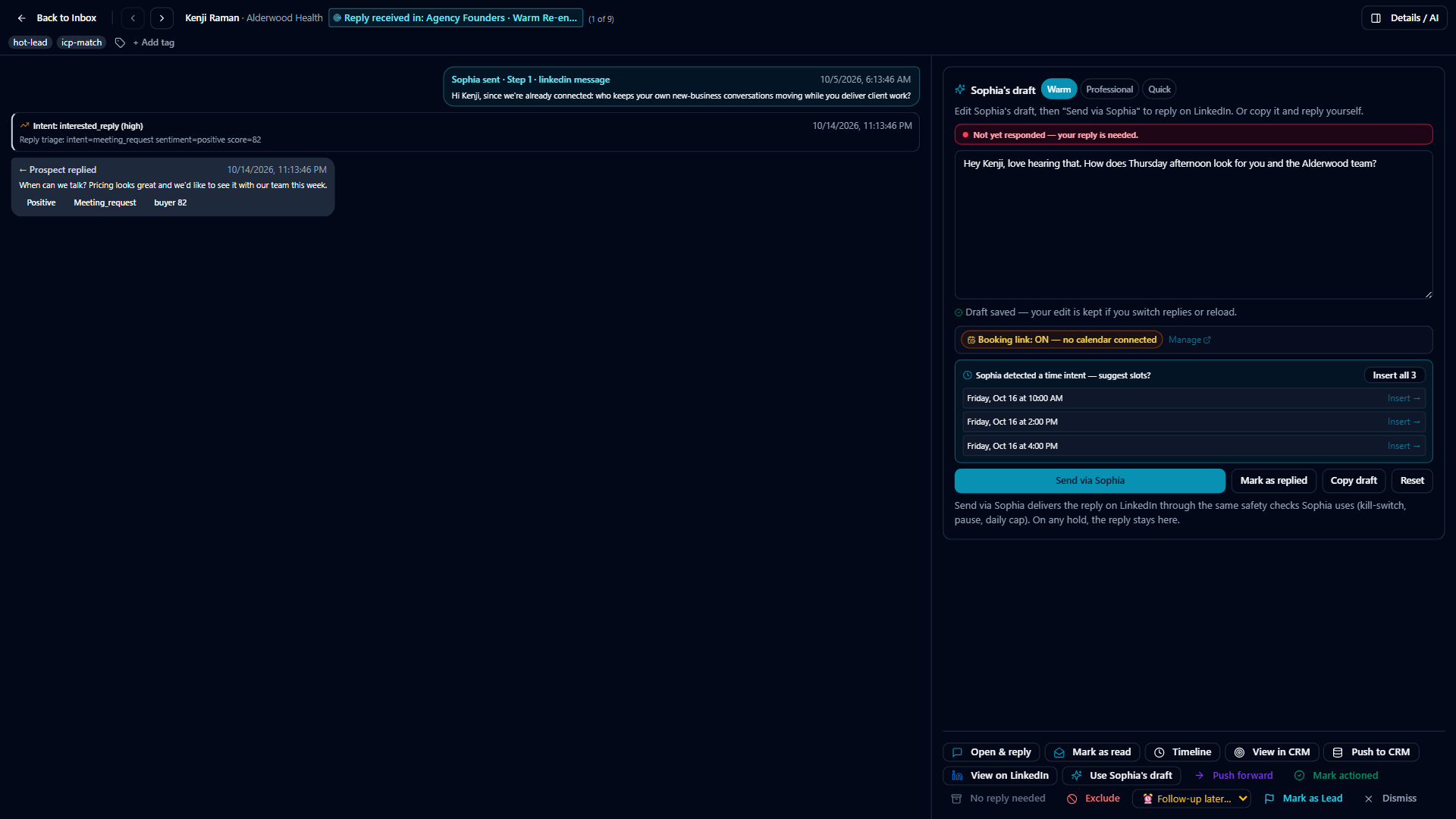
- LinkNGo is an AI sales platform (AI SDR/BDR) for B2B teams. Its AI agent, Sophia, finds prospects, runs LinkedIn and email outreach, sorts and drafts replies in your voice, and runs the scheduling back-and-forth to book meetings.
- Who is LinkNGo for?
- Founders and small teams, sales and BDR teams, and agencies that run outreach for clients. It is priced per connected LinkedIn account, so it scales from one person to a fleet.
- How much does LinkNGo cost?
- $149 a month for the first connected LinkedIn account, $119 each for accounts 2 to 5, $99 each for accounts 6 to 15, and $79 each from account 16. The price steps down like tax brackets: adding account 16 does not reprice the first 15. Every account gets the full product. Annual billing is about two months free (the first account is $124 a month billed annually).
- Is there a free trial?
- The trial is 7 days. A card is required to start, $0 is charged today, and if you cancel before day 7 you pay nothing.
- What does LinkNGo send automatically and what needs approval?
- LinkedIn actions need your approval by default, and every automatic skill starts switched off until you turn it on. Email replies are never sent automatically: they are drafted for your review. Automatic sending of LinkedIn replies is opt-in, and each automatic reply has an undo window (30 seconds by default). A one-click killswitch stops everything.
- Which channels does LinkNGo use?
- LinkedIn (connection requests, direct messages, and optional liking and commenting on posts) and email, sent from your own connected mailbox. Daily sending stays inside safe limits.
- What is not included, and what are the limits?
- No tool can guarantee LinkedIn will never restrict an account, and LinkNGo does not promise meetings or results. It keeps volume low: a new LinkedIn account starts at about 5 invites a day, ramps toward 20, and never goes above 30. If an account is restricted, LinkNGo stops it and pauses billing for it until it is cleared. Email replies are never sent automatically. Sales Navigator is not required. Text messaging is an add-on that uses your own texting service.
- How is LinkNGo different from point tools?
- Point tools each do one job (find leads, send sequences, or manage replies) and you operate them. LinkNGo puts prospecting, LinkedIn and email sequences, a ranked reply inbox with drafted answers, and meeting booking in one system on one bill, with approval and undo controls on what goes out.
Pick a plan to get started
Same product, same safety layer, on every plan — the only thing that changes is how many protected LinkedIn identities you're running. Need a different number of accounts? Use the exact seat picker below instead.
Not sure yet? How it works, in two minutes or watch the 90-second demo.
$124/mo per account · $1,488/yr, charged after your trial
Kick the tires with one protected LinkedIn identity.
7-day free trial · card to start, $0 today · cancel before day 7, pay nothing
Each account in this band: $99/mo · $3,864/yr, charged after your trial
For teams ready to run a few identities at once.
7-day free trial · card to start, $0 today · cancel before day 7, pay nothing
Each account in this band: $83/mo · $11,220/yr, charged after your trial
For agencies and larger teams running real volume.
7-day free trial · card to start, $0 today · cancel before day 7, pay nothing
Each account in this band: $66/mo · $20,160/yr, charged after your trial
The lowest per-seat rate we offer — built for fleets. Running client accounts under your own brand? See the agency program (wholesale from 20 accounts).
7-day free trial · card to start, $0 today · cancel before day 7, pay nothing
Or pick your exact number of accounts
7-day free trial · card to start, $0 today · cancel before day 7, pay nothing
What customers say on G2
“Incredibly Powerful, Fast, and Always Improving AI”
5/5“The sheer power of it. They’ve thought of everything. Every time I think of something I want, it’s already there—I was just looking in the wrong place. I especially like the speed at which it runs. And the AI seems to get better every time I publish something new.”
What they would improve: “It takes a minute to figure out where everything is - there's so much going on that it's worth it.”
Tom U.
Chief Strategy Officer (CSO), small business (50 or fewer employees)
G2Incentivized reviewOctober 20, 2026
“A valuable CRM and outreach platform with an engaged team and strong potential”
4.5/5“LinkNGo helps us manage our blogging, track sales velocity, and organize sales outreach activities. Having these activities in one platform gives us better visibility into our business development efforts and helps us coordinate content and outreach.”
What they would improve: “The two areas I'd most like to see improved are reporting and the user interface. Clearer reporting would make it easier to assess outreach performance and track results.”
Verified User in Consulting
Small business (50 or fewer employees)
This reviewer's firm includes our services in its paid offerings for its own clients.
G2Incentivized reviewOctober 20, 2026
Quoted word for word from G2. G2 marks both as incentivized reviews collected through a G2 invite. Their feedback on reporting, navigation and everyday use is shaping what we build next. See LinkNGo on G2.
Need setup for a team or multiple clients? Request a setup plan. Your plan and prices stay as shown.
Request a setup planThe outbound tool that actually researches your account before it sends.
Sophia runs your LinkedIn and email outbound, drafts every reply, and books the meeting. Before every single send, she reads what's actually true about this account — its real connection count, how long it's been warming up, whether LinkedIn has throttled it recently — and decides from that, not a fixed script. A new identity starts at 5 invites a day and ramps to 20 based on what she observes, not a countdown timer. She will not pass 30, including when you tell her to. Cheaper tools skip the research — they run the same volume on a brand-new account and a five-year-old one, and hand you the consequences when it goes wrong.
Real connection count, real account age, real throttle history recomputed daily — every cap is intelligence about THIS account, never a fixed number every customer gets.
Failure patterns trip a breaker and pause sending automatically. A one-tap killswitch halts everything. False blocks release themselves.
When Sophia cannot read something, she shows an honest "—" instead of inventing a number. Autonomy is granted on a trust ladder with an undo window.
We stop that account automatically the moment we detect it, we pause your billing until it’s cleared, and we help you get it back. No claim form, no argument.
Every seat includes all of it
There is no feature ladder to climb. Seat one and seat fifty run the same product — the only thing that changes as you grow is the price per seat, and it only goes down.
| Accounts | Price each | Your total |
|---|---|---|
| 1 | $149/mo | at 1: $149/mo |
| 2–5 | $119/mo | at 5: $625/mo |
| 6–15 | $99/mo | at 15: $1,615/mo |
| 16 and up | $79/mo | at 20: $2,010/mo |
Graduated, like tax brackets — your sixteenth account costs $79 and does not reprice the first fifteen. No tier to migrate to, no jump when you cross a threshold.
We run your entire outbound for you — you just take the meetings.
With the plans above, you run Sophia yourself. With White-Glove, our team runs it for you. A dedicated specialist owns your campaigns from start to finish — figures out who to target, writes in your voice, launches within days, and personally turns replies into booked meetings — while Sophia does the heavy lifting behind the scenes. You just show up to the calls.
Contact us for a quote — the output of a full sales-development team, done for you.
- A dedicated specialist who owns your campaigns from start to finish
- Fully set up for you: we figure out who to target, write your messages in your voice, and launch within days
- Thousands of personalized messages and connection invites a month across the accounts we run for you — each one paced inside its own safe daily limits
- Every reply handled by a real person; meetings booked straight onto your calendar
- Flows into your CRM (HubSpot, Salesforce, Zoho, GoHighLevel) + priority reporting + regular strategy calls
- Add more accounts or target audiences as you grow
Add-ons
Attach to any paid plan. Cancel anytime. We hold base prices and let you add exactly what you need.
Profile Builder Pro
Strengthen your LinkedIn profile so more people accept your invites and reply.
- Your LinkedIn Social Selling Index — LinkedIn’s own 0–100 score of how strong your profile + activity are — checked weekly and tracked over time
- A breakdown of the four things that score is built on, with honest “measured” vs “estimated” labels
- AI rewrite of your headline + About section (suggested for you — never posted without your say-so)
- Score any LinkedIn profile by pasting its link — size up a prospect or compare yourself to a competitor
- A ranked to-do list of what will lift your score the most, plus a guided 30-minute session
Extra contact look-ups
Add more contact look-ups beyond your plan, or connect your own data provider and pay them directly.
- +1,000 look-ups a month on top of your plan — 1 look-up = 1 found email or phone number
- You only pay when we actually find a contact — misses and double-checking are always free
- Or connect your own data-provider account and run with no monthly cap, paying that provider directly
- Set a monthly spending limit so costs never surprise you
AI Post Images
On-brand images for your posts, created automatically from what you wrote.
- AI images for your posts that you can tweak with plain-English feedback
- A monthly image allowance
- If it’s ever unavailable it says so, instead of showing a broken image
Text messaging (SMS)
Add text messages as a step in your sequences — connect your own texting service.
- Add text messages as a step in your sequences
- Sends through your own connected texting service
- Clearly tells you if it’s not set up yet, instead of pretending to send
Pricing FAQ
How does per-account pricing work?
You pay per connected LinkedIn account, and the rate falls as you add them: the first is $149/mo, accounts 2–5 are $119 each, 6–15 are $99, and 16 and up are $79. It is graduated like tax brackets — your sixteenth account costs $79 and does not reprice the first fifteen. There is no tier to migrate to and no jump when you cross a threshold, so the price never gets worse as you grow.
Why only 20–30 invites a day per account?
Because that is what a LinkedIn account survives. A new identity starts at about 5 invites a day and ramps to 20; Sophia will not pass 30, including when you ask her to. Tools that let you run 75 are lending you volume against your account, and you settle the debt when it gets restricted. If you need more volume, the answer is another account, not a hotter one.
What happens if my account gets restricted?
We detect it, stop that account automatically, and pause your billing until it is cleared — then help you get it back. No claim form. (The pause covers charges going forward; anything already paid isn’t refunded.) Every send already passes a guard stack first (account isolation, suppression, send windows, warm-up, deal state, cross-channel cooldown and daily caps), which is why this is rare rather than routine.
How do I cancel?
In the app, open Billing & Plans and click Manage Billing (workspace owners and admins), then cancel there — or email support@linkandgo.net. Cancel before your 7-day trial ends and you are never charged. After that, cancelling turns off auto-renew and you keep access to the end of what you have paid for: a monthly plan runs to the end of the month, an annual plan to the end of the paid year. There are no partial refunds for the time left.
Do I need Sales Navigator?
No. Sophia works with a standard LinkedIn account and falls back to standard search automatically when a Sales Navigator seat is not available. A seat finds more people per search, so it helps — but nothing breaks without one.
What actually happens in month one?
A new account starts at about 5 invites a day and ramps toward 20, so roughly 300–400 invites in the first month while the identity warms up. Deliberately slower at the start, because the first few weeks are when accounts get restricted.
What does LinkNGo replace?
For most teams: a prospecting/targeting tool, an outbound sequencer, an AI inbox assistant, and a separate LinkedIn content scheduler — consolidated into one system on one bill, with a safety layer the point tools don’t have.
Is it safe to automate LinkedIn with LinkNGo?
Safety is built into the send path, not a settings tab. Every send passes account-isolation, suppression, send-window, warmup, and daily-cap checks first, and a one-tap killswitch halts everything. Engagement features like auto-like/comment ship OFF by default behind an explicit acknowledgment and human control — never default-on.
What are “contact look-ups” and how do they work?
A look-up is when Sophia finds a prospect’s work email or phone number for you. Every account includes an allowance, and you only pay when she actually finds someone — misses and the verification step are free. She only sends to addresses that check out as real, so a look-up is never spent on a bounce. Need more than the allowance? Connect your own data-provider account and pay them directly, with no cap from us.
Do the add-ons work on any account?
Yes — add-ons attach per account and can be cancelled anytime. Every account already includes its own protected sending connection; the add-ons are for extras some teams want (profile building, more contact look-ups, post images, SMS), not for anything you need to stay safe.
Does Sophia send messages on her own?
Only the ones you’ve trusted her to. Every automatic skill starts off; you opt in by confidence tier, with an undo window on auto-sends and shadow mode to watch her first. Email replies are always drafted for your review and never sent on their own.
Which CRMs does it sync to?
HubSpot, Salesforce, Zoho, and GoHighLevel — new replies, booked meetings, and deal-stage changes flow into your CRM automatically, with per-event control over what mirrors across. HubSpot and Salesforce sync deals both ways; Zoho and GoHighLevel receive contacts, notes and deals from LinkNGo.
Put Sophia to work
Connect LinkedIn, point her at your ICP, and watch the first touches go out — with you in control.